
Insta360
Insta360Video Players & Editors
3.62.22K Reviews
- Version
- 2.31.6
- Installs
- 1.00M
- Age Rating
- Everyone
Screenshots
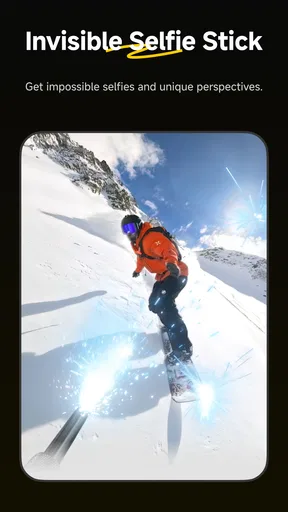
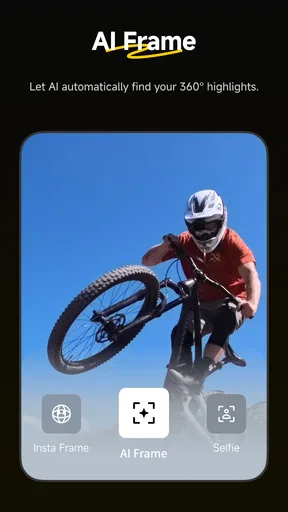
Our Review of Insta360
 Analysis by Appyee
Ever stumbled upon an app that makes you feel like a pro photographer without having to do all the heavy lifting? Well, let me introduce you to Insta360. It's like having a magic wand for creating stunning 360-degree photos and videos right from your phone. I recently took this app for a spin, and here's my take on it.
When the novelty has to earn its place
The first week with a camera companion app is easy to enjoy: new angles make familiar outings feel worth recording, and quick edits can turn a short clip into something you want to send to a friend. What matters later is whether opening the app becomes part of a real routine rather than a one-time experiment. I think Insta360 makes most sense for someone who already owns a compatible Insta360 camera or handheld gimbal and expects to use it regularly. Without that gear, the specialized editing appeal is harder to justify than a familiar phone editor.
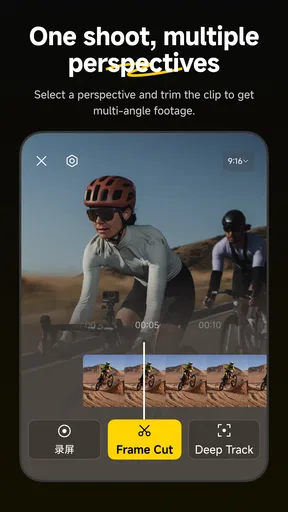
A realistic use is a weekend walk or bike ride. I would capture the outing with the camera, then use the app afterward to choose a view that tells the story clearly, instead of deciding every framing choice while moving. That flexibility is a genuine reason to return: one recording can give you options when you sit down to edit. It also means the best result may take more thought than simply recording a phone video and posting it immediately.
For a first-time user, the important question is not whether every tool looks exciting, but whether the finished clip fits how you share. If you mostly send short, ordinary videos to family, your phone’s built-in editor may already be quicker. If you like revisiting footage, reframing it, and making a more deliberate edit, a camera-specific workflow has a clearer purpose. The app is free, but in-app purchases range from $0.49 to $999.99 per item, so I would check what an optional purchase covers before treating it as necessary for a particular workflow.
First Impressions and User Interface
Opening Insta360 for the first time, I was immediately greeted with a sleek and intuitive interface. It's clear that the developers put a lot of thought into making it user-friendly, even for those who might not be as tech-savvy. The main screen gives you quick access to all the essential features, and everything is laid out in a way that just makes sense.
The design is clean, and navigation is a breeze. I didn't find myself getting lost in endless menus or struggling to find what I needed. It's all about getting you to start capturing those moments as quickly as possible. And guess what? You don't need to be a professional photographer to make use of this app.
Features That Stand Out
Okay, let's dive into the features. The app's ability to capture 360-degree photos and videos is, of course, its biggest selling point. But there's more to it than just that. The real-time stitching is pretty impressive, ensuring that your shots are seamless and ready to share instantly.
Another feature that caught my eye is the "FlowState Stabilization." It's like having a gimbal in your pocket. Your videos come out smooth and stable, even if your hands are a bit shaky. Perfect for those action-packed moments!
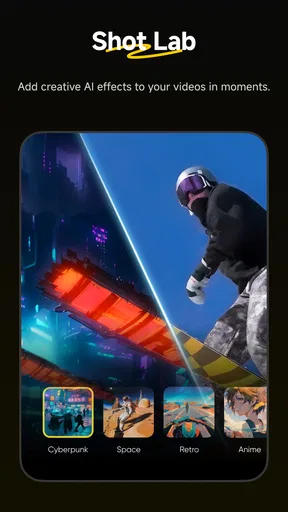
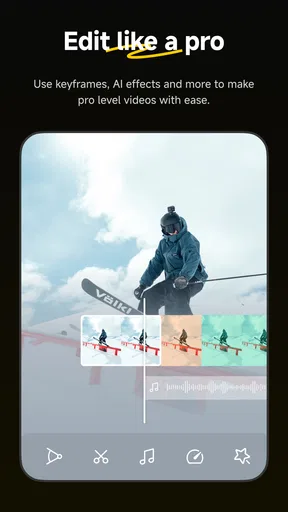
And don’t get me started on the editing tools. From simple tweaks to more advanced adjustments, you can do it all within the app. The "Shot Lab" feature, in particular, lets you get creative with your content, offering templates and effects to spice up your videos.
Using the tools without turning every clip into a project
One useful habit is to decide what a clip is for before exploring effects. For a quick message to a friend, I would keep the edit simple and avoid spending time trying every Shot Lab option. For a clip I plan to keep or share more widely, I would take advantage of the extra editing time and compare a few possible views before settling on one. This small distinction helps the app feel like a practical tool instead of an endless invitation to tinker.
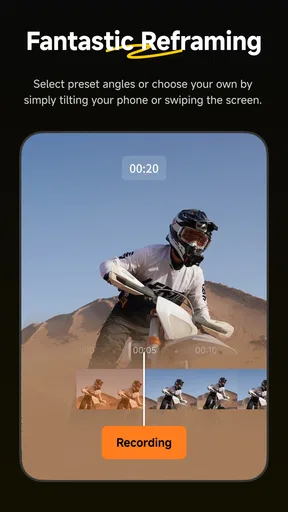
With 360-degree footage, the camera captures more than the final viewer needs to see. That changes the editing decision: you are not only trimming a clip, but choosing what deserves attention within it. I would review an important moment once for the action and again for framing, especially if the subject moves across the scene. A clip that looks impressive while you are exploring it can still be confusing when reduced to a focused view for someone watching on a regular screen.
Templates can help when I want a quick creative result, but I would not treat them as a substitute for choosing good footage. If the original moment is shaky, poorly timed, or visually cluttered, an effect cannot make the underlying story clearer. The more reliable workflow is to capture with a purpose, make a small number of edits, and then watch the export from beginning to end before sharing. That final check catches awkward cuts and makes it easier to decide whether a more elaborate treatment actually improves the clip.
Performance and Compatibility
Performance-wise, Insta360 is a powerhouse. It runs smoothly, and I didn’t experience any lag or crashes during my time with it. It's compatible with a wide range of devices, so you don't need the latest phone to join in on the fun.
One thing to note, though, is that rendering high-quality 360-degree videos can be a bit demanding on battery life. So, you might want to keep a charger handy if you're planning a long day of shooting.
Making the workflow manageable over time
Editing is only one part of keeping a camera app useful month after month. It helps to separate the moments that need careful treatment from the clips that can be left alone. I would avoid trying to polish every recording: a short, ordinary moment may not deserve the time involved in rendering and reviewing it. Save the heavier edit for footage where the ability to choose a view or add a creative touch changes what the viewer understands.
For a day out, I would also plan around the whole workflow rather than just the recording. Rendering can use battery, so starting a long export when the phone is already low is an avoidable frustration. If I am away from a charger, I would capture first and leave detailed edits for later. That way the editing session does not compete with navigation, messaging, or the other things I need the phone for during the outing.
Compatibility is another practical consideration: “works with a wide range of devices” does not mean every combination of phone, camera, and accessory will feel identical. I would check that the particular camera or gimbal I plan to use is supported before building a routine around the app. The developer is Insta360, and the app is aimed at accompanying its camera equipment; it is not simply a universal video editor that happens to offer unusual effects.
Sharing Your Creations
Once you’ve captured and edited your masterpiece, sharing it is a breeze. The app supports direct uploads to popular social media platforms like Instagram, Facebook, and YouTube. Plus, you can export your content in various formats, making it versatile for different uses.
I found the sharing process to be straightforward, and the quality of the uploaded videos and photos remained top-notch. It's a great way to share your adventures with friends and family, making them feel like they're right there with you.
Where the routine can become tiring
The trade-off with specialized footage is that it can ask for more attention than a basic phone recording. Choosing a view, adjusting an edit, waiting for a render, and checking the result are all reasonable steps when the scene matters, but they can feel excessive for a clip meant to be watched once. If most of my recordings never make it past the camera roll, the app’s deeper tools would not automatically create lasting value for me.
Sharing also depends on the destination. An immersive recording and a conventional social post are not always the same viewing experience, so I would consider who will watch before spending time on an elaborate edit. For a friend who wants a quick update, a straightforward export may be more considerate than asking them to explore footage in a special way. For a travel memory or action scene, the extra perspective may be precisely what makes the clip worth keeping.
In the wider video-editing category, a general phone editor is often the better choice for routine trimming, captions, or combining everyday clips. Those tools are familiar and can be faster when the source is ordinary phone footage. Insta360’s advantage is its connection to 360-degree capture and its camera-oriented creative workflow. That specialization is a strength when I have the matching footage, but it is also the reason I would not recommend it as everyone’s single editing app.
Final Thoughts
In conclusion, Insta360 is more than just a camera app. It's a gateway to creating immersive and engaging content with ease. Whether you're an adventure junkie wanting to capture your latest escapade or someone who just loves taking cool photos, this app has something for everyone.
Sure, there are a few quirks here and there, like the occasional battery drain, but the pros far outweigh any cons. If you're looking to step up your photography game and explore the world of 360-degree content, give it a shot. You won't be disappointed!
Who is likely to keep using it?
I would recommend it most to people who already use Insta360 hardware, enjoy shaping footage after recording, and have a reason to revisit or share more distinctive clips. It is also a good fit for someone who wants a phone-based place to work with camera footage rather than moving every edit to a desktop. The app has a 3.5 average from around 40,000 ratings and has been installed over a million times, which gives a useful sense of its established audience, though neither figure tells me whether it suits a particular camera setup or editing style.
I would skip it if I only wanted a fast, general-purpose editor for casual phone videos, or if I rarely edit anything after recording. In that situation, the extra workflow can become maintenance rather than a benefit. Its Everyone age rating makes it broadly suitable from a content-rating perspective, but the best reason to install it is still having footage and equipment that make its specialized tools relevant.
The app is free to install, and version 2.19.0 is listed for devices running Android 9 or later. I would treat those details as a starting point, not a promise that every device will handle intensive editing the same way. If I were deciding whether to keep it, I would give it a real test with one outing: capture a moment I care about, edit it into a format I actually share, and see whether the result justifies the extra steps. That is a more useful test than browsing effects without a clip in mind.
For me, the lasting value comes down to whether the camera changes what I can record and whether I enjoy shaping that footage afterward. If both are true, the app can earn regular space on my phone; if I mainly want quick edits with no camera-specific workflow, a simpler alternative is the sensible choice. I would keep it for the occasions when its 360-degree perspective gives me something I could not get from an ordinary clip, rather than expecting it to improve every video I make.
Verdict
Strengths of Insta360
- High-quality 360-degree video capture.
- User-friendly interface for editing.
- Seamless integration with social media.
- Robust stabilization features.
- Compact and portable design.
Limitations of Insta360
- Premium features are subscription-based.
- Limited battery life for extended shoots.
- Requires high storage space.
- Occasional app crashes reported.
- Learning curve for advanced editing.
Similar Picks in This Category
View All
Google TV
Google LLC3.9

iTunes
Apple4.7

YouTube
Google LLC3.8

MX Player
Amazon Mobile LLC4.2

CapCut - Video Editor
Bytedance Pte. Ltd.3.5

PLAYit-All in One Video Player
PLAYIT TECHNOLOGY PTE. LTD.4.5
Frequently Asked Questions
What is Insta360 and what does it do?
Insta360 is a cutting-edge app designed to work with Insta360 cameras, offering users the ability to capture stunning 360-degree photos and videos. It allows for easy editing and sharing of immersive content across social media platforms. The app also includes features like stabilization, AI-powered editing tools, and the ability to live stream in 360 degrees.
Is Insta360 compatible with all devices?
Insta360 is compatible with a wide range of Android and iOS devices. However, it's important to check the app's compatibility with your specific device model and operating system version. The app may require newer hardware for optimal performance, especially for editing high-resolution 360-degree videos.
How user-friendly is the Insta360 app for beginners?
The Insta360 app is designed with user-friendliness in mind, featuring an intuitive interface suitable for beginners. It includes guided tutorials and an easy-to-navigate menu, allowing users to quickly get accustomed to capturing and editing 360-degree content. The AI-powered features further simplify the editing process, making it accessible for all skill levels.
What are the key features of the Insta360 app?
The Insta360 app offers numerous features, including FlowState stabilization, AI editing tools, and a variety of creative effects like Tiny Planet and Stop Motion. Users can also live stream directly from the app, edit their footage with precise controls, and share directly to social media. The app supports both automatic and manual editing modes.
Is there a cost associated with using Insta360?
The Insta360 app itself is free to download and use. However, to fully utilize its features, you may need to own an Insta360 camera, which is purchased separately. Some advanced features or cloud storage options might come with additional costs or subscription fees, so it's advisable to review these before making a purchase.
